

Upon clicking on “Launch Assessment” an email including the survey link gets sent to you and your respondents.
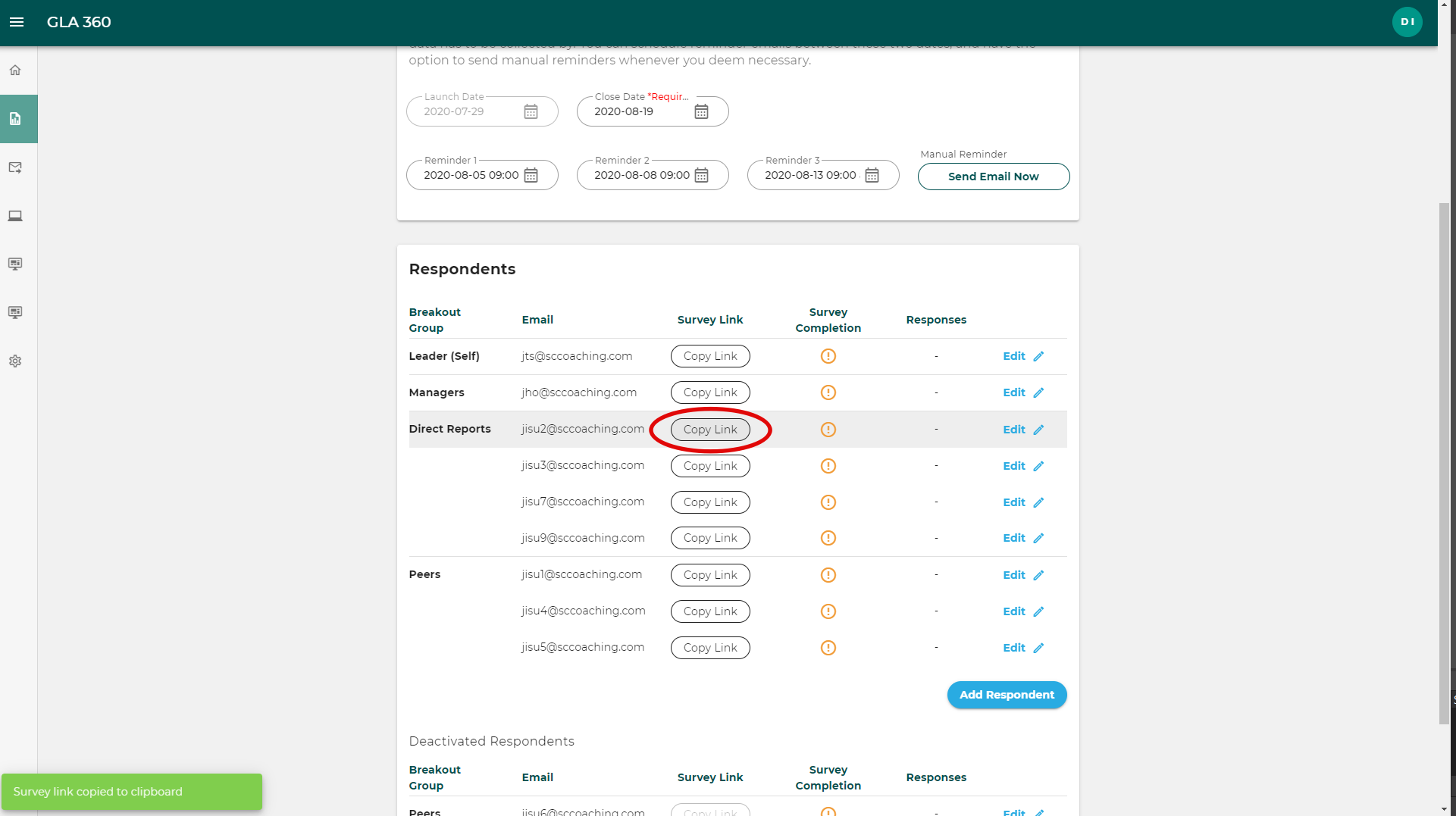
In the rare cases when one of your respondents does not receive this email, you can email them the survey link by following the steps below.
Go to the assessment page
Go to “Respondents”
Under “Survey Link” click on the “Copy Link” button to copy the survey link.
You can use the email draft hereunder to send to your respondent.
Dear [Respondent name],
You have been invited to participate in [Leader name] Global Leadership Assessment. Your insightful and valuable input will help [Leader name] identify leadership strengths and areas to develop so that [Leader name] can become a more effective leader.
Please note the following before you begin the survey:
- Your feedback and comments will be anonymous.
- You may save your responses and return later to finish.
- Please complete the survey as soon as possible.
- Do not forward this email or link to anyone else. Each link is unique and only one survey may be submitted per link.
Start the survey → add survey link here
GCG surveys are managed in compliance with international privacy standards (GDPR, Privacy Shield, APEC CBPR).
Let me know if you have any questions.
With best regards,