

1. Test
There might be cases where a private network's firewall will block emails coming from unknown sources. For this reason, you should always first test if recipients receive your emails before starting a new assessment.
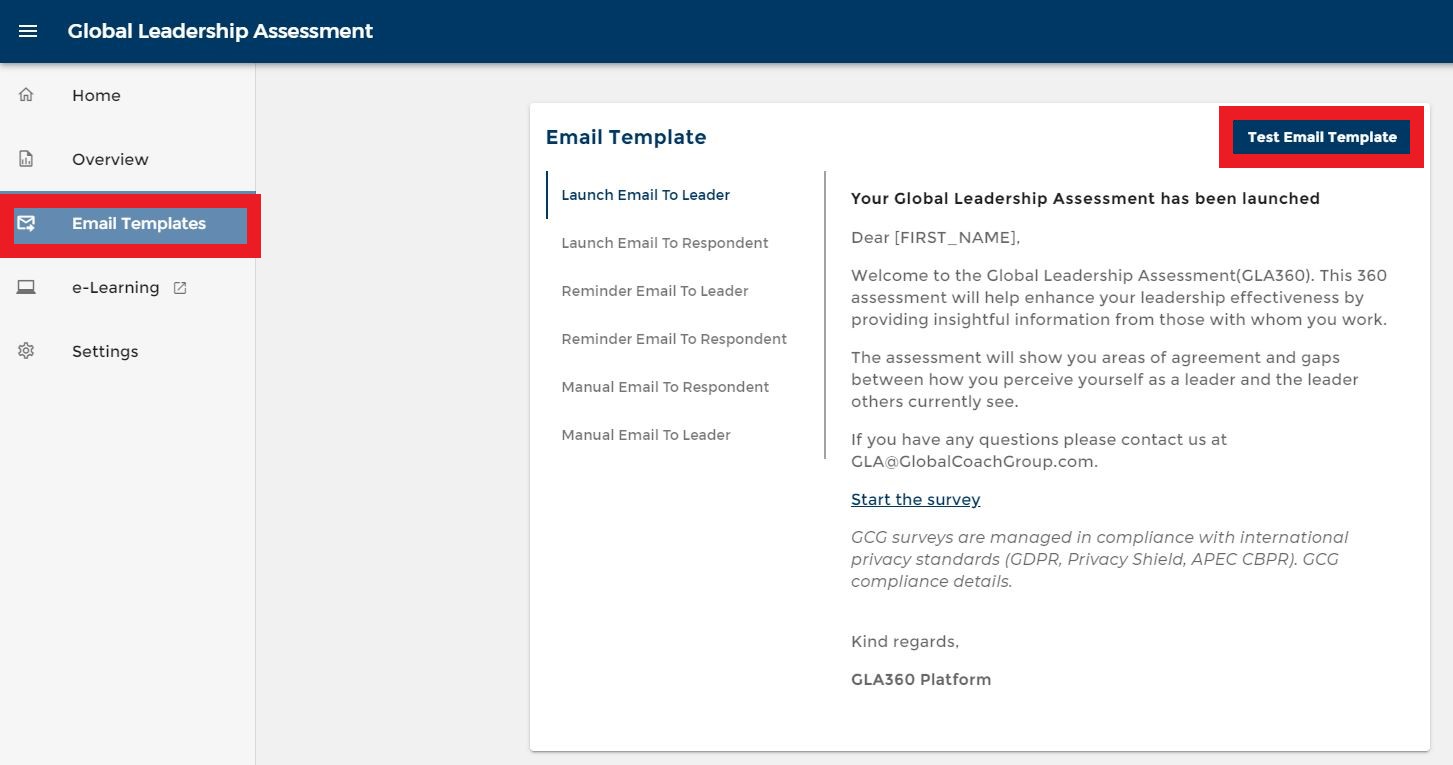
To do so, go to "Email Templates" on your left bar menu and click on "Test Email Template".
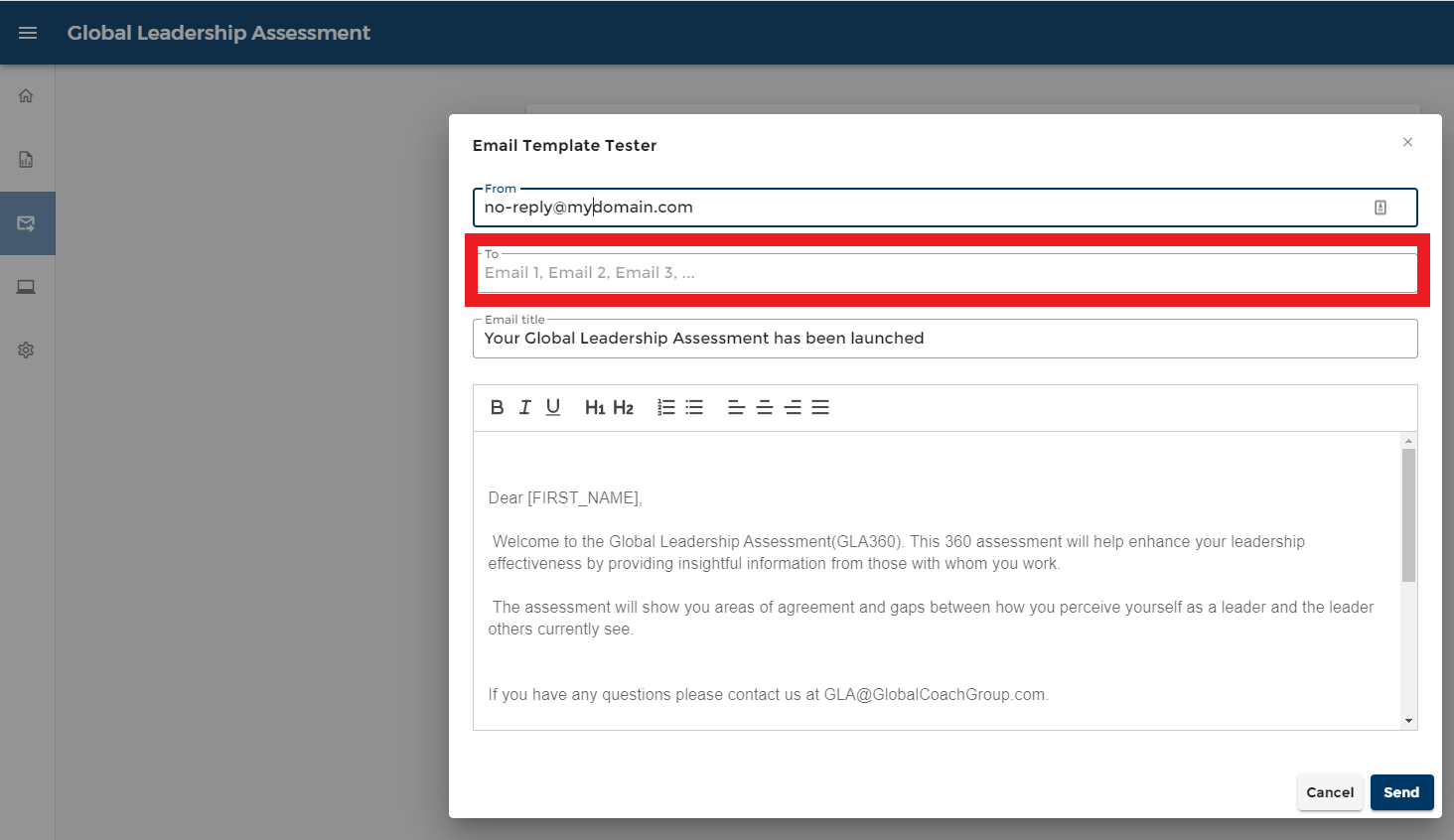
A window where your email content can be edited will appear. Here, input the test email recipient's address.
After sending the test email, check if the recipient has received it. Make sure to check the recipient's Spam and Trash folder as well.
2. Whitelist email
Send the below information to your email recipient's organization.
Please whitelist any emails originating from the "GlobalCoachGroup.com" and "SCCoaching.com" domains on your anti-spam systems. This will ensure the smooth delivery of any survey emails your organization will be receiving as part of any projects we are conducting within your organization. If you are not able to filter by domain name (which we strongly recommend), you whitelist our outgoing email server and/or its IP address:
Server: GlobalCoachGroup.com and SCCoaching.com
IP: 209.61.151.106
The IP address may change in the future should we change servers or hosting providers, therefore, we recommend whitelisting by the domain name.
If the recipient is still not able to receive the email, kindly contact their IT team or the person in charge of their organization.
3. Survey Accessibility
At times, some organizations' IT will block access to websites when they are being accessed within their network. Usually, this will occur within organizations that deal with sensitive data and have higher data security requirements, such as banks or health organizations.
To ensure smooth delivery and survey collection, request the organization's IT to whitelist the survey domain https://survey.gcgroup.io/