Steps:
Go to the GLA 360 dashboard
Click on “Create New Assessment”
Fill out the Leader’s details
First Name
Last Name
Email address
Company name (optional)
Survey Language
Click "Next"
Add respondents
Choose a breakout group
Add the email addresses, separated by commas
Select the survey language
Click "Add"
Click "Next"
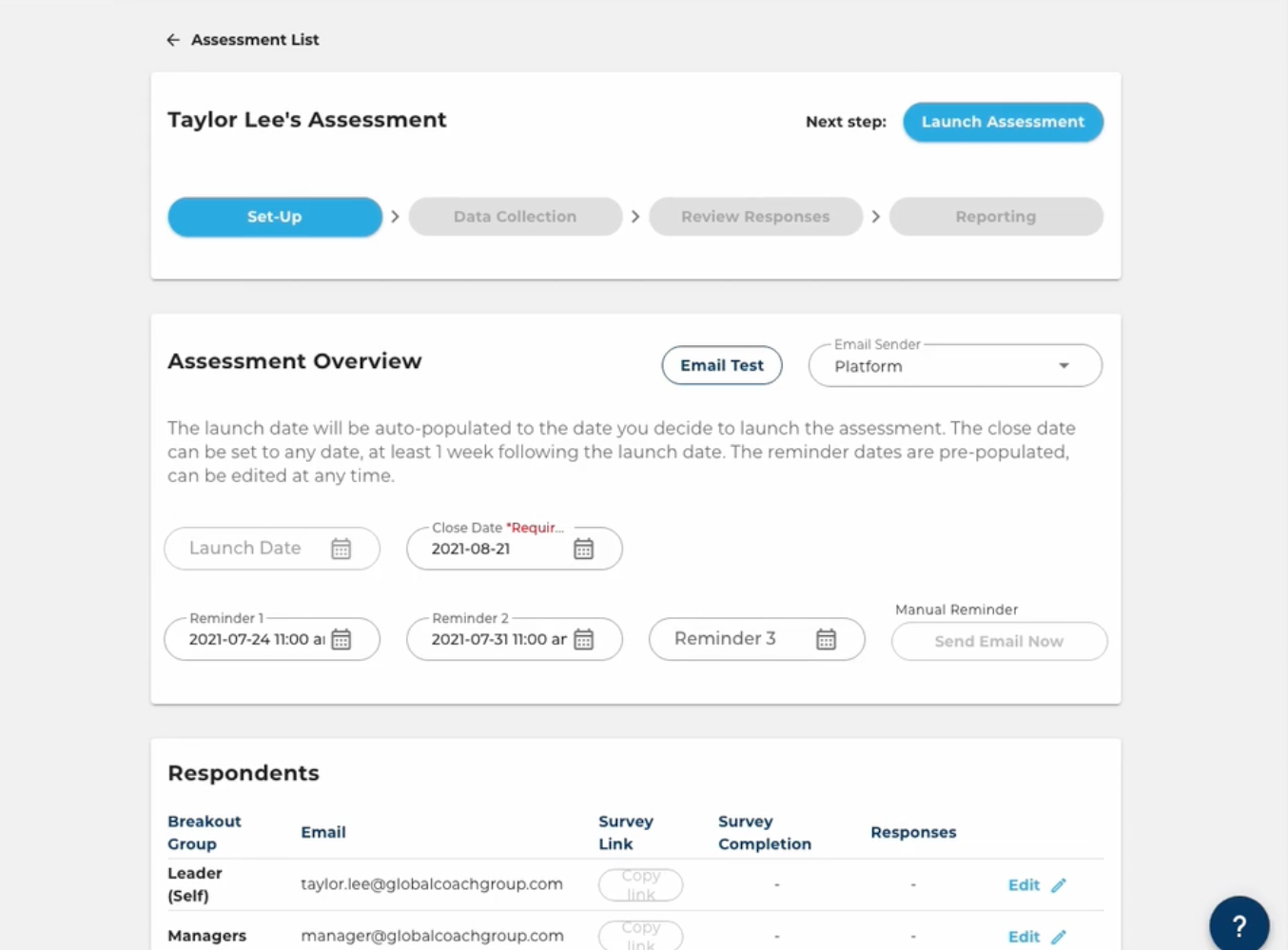
Set the survey schedule (Timeline)
Launch Date will be automatically filled out with the current date
Close Date is required to be set before setting up the assessment. Please note that this step does NOT launch the assessment.
You have the option to set up to 3 reminders, which can be sent up to one day before the close date.
As 'Email Sender', you can select Platform (recommended setting, as this increases email deliverability) or Personal Account (which is the email in your GCG GLA account).
Click "Save".