

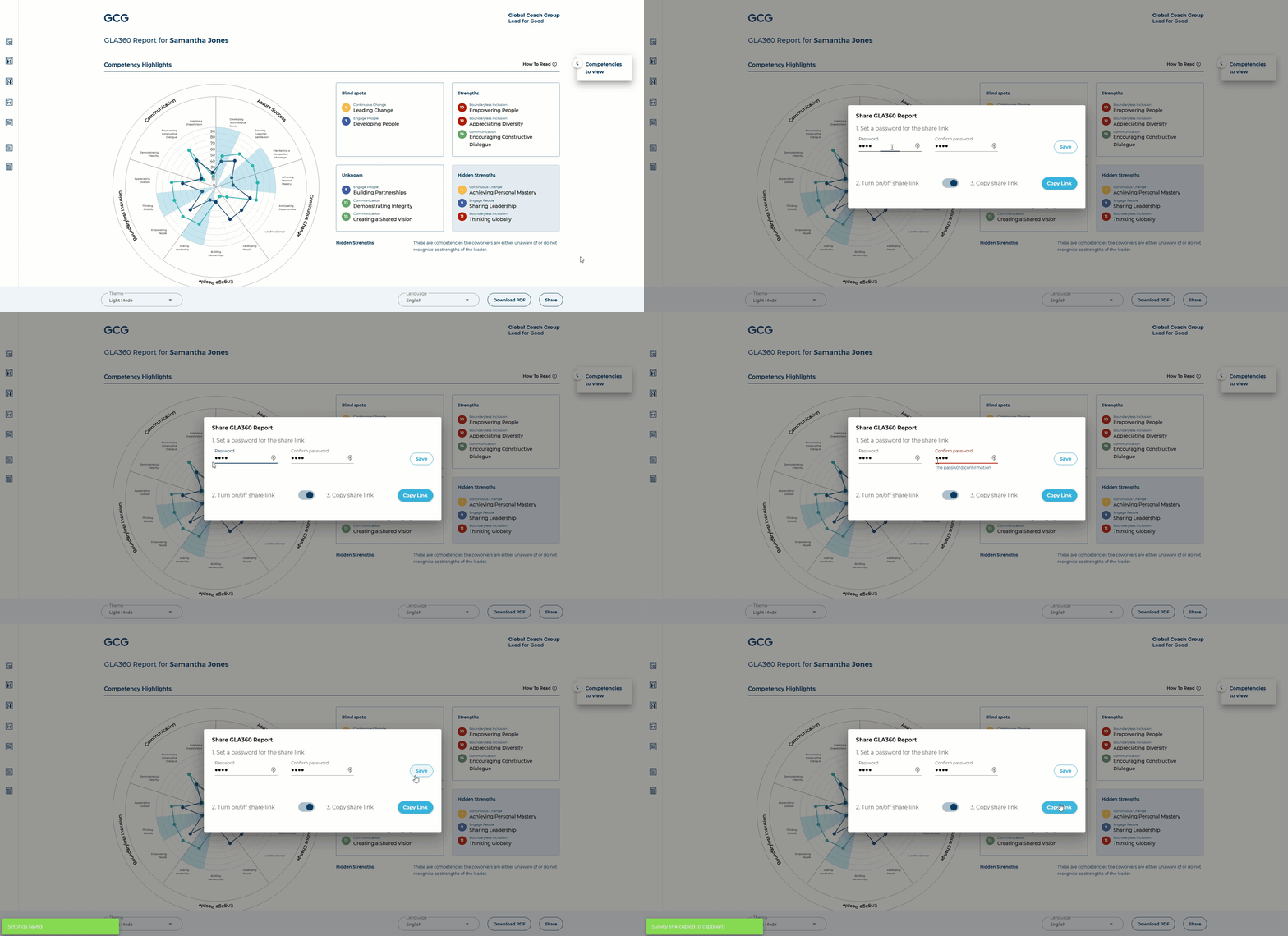
To share a password-protected link of the interactive GLA360 report with your leaders:
Go to your assessment details page
Click "View Report"
Click "Share" on the bottom right of the web report
Set a password for the public report*
Click "Copy Link"
Share the link and password with your leader to give them access to the report
*Please ensure that this password is distinct from any of your private credentials.
You can turn off this share link at any time, via the toggle button in #2.