

The FAQs hereunder are in no particular order. Browse to the end to review FAQs. If you require additional assistance, please email Support@globalcoachgroup.com. They will reply to your inquiry within 1-2 business days (depending on your subscription level).
Use Feedforward and Action Planning tools in the SAME session
When you use the Feedforward (FF) and Action Plan (AP) tools in the same session, the collected FF prepopulates in the AP as suggestions. This makes your coaching session very effective and ensures a quality action plan.
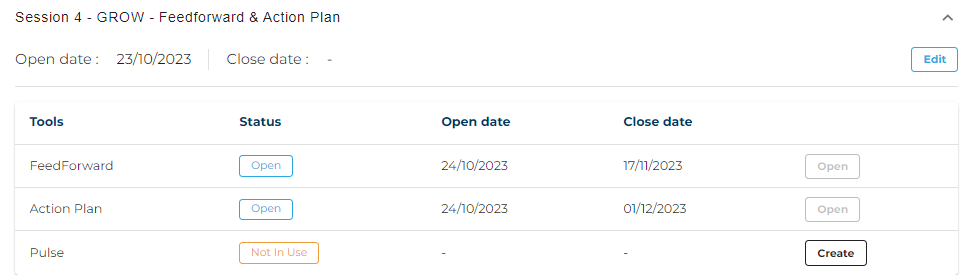
Feedforward data collection over 7 - 14+ days
It is considered best practice to schedule the launch of the next Feedforward immediately after the current coaching session. The launch date should be set at least 14 days before the next coaching session, and reminders should be set for follow-up. This approach ensures that coworkers have sufficient time to reflect and provide feedback for the next Action Plan. A minimum of 7 days is required to allow coworkers ample time to reflect and provide suggestions. You cannot set the Feedforward close date within 7 days of the launch date.
Once set up, the Coaching Tools will handle everything else, ensuring the FF is collected before the next session.
Customizing emails to coworkers (and leaders)
The Coaching Tools sent emails addressing all coworkers by their first name and referring to the leader who is asking for FF. We decided against customized emails to coworkers by coaches or leaders as this could potentially lead to issues with email deliverability and accessibility of web links, which would solve one problem but create another.
Engaging coworkers effectively is a leadership responsibility that cannot be entirely outsourced to the Coaching Tools (or the coach). To better engage coworkers and receive more suggestions, leaders (and coaches) may choose to take a more hands-on approach and communicate with coworkers directly. Check out this article which includes email templates and suggestions for personally engaging coworkers: Feedforward - Involve Coworkers Better and Get More Suggestions.
Leader included in Feedforward collection
The leader is included in the Feedforward data collection to promote self-reflection on suggestions for themselves, to add in FF they got from coworkers in e.g. meetings or via email, and to provide them with the same experience as their coworkers.
Send FF reminders manually
You can send FF reminders to coworkers manually anytime by clicking this button
Emailing FF to the leader
During the FF data collection, you can email the complete FF history to yourself as coach at any time (see button below). As a coach, you can share all or part of the FF history with the leader via email before your upcoming coaching session.

Adding Feedforward Manually
At times, coworkers may email their suggestions directly to the leader (or coach) instead of utilizing their Feedforward survey link. In such a case, you can effortlessly incorporate their Feedforward into the engagement using their survey link in the coaching tools. Check out the video below.